
Come muoversi all’interno delle mostre fotografiche virtuali 3D – 360
Le nostre gallerie virtuali non sono fatte per lo scroll frenetico. Sono pensate per restituire alle fotografie il tempo che meritano.
Ogni mostra è uno spazio immersivo in cui la navigazione deve essere lenta, consapevole, quasi meditativa.
Perché la fotografia va osservata, esplorata, vissuta. Non “guardata al volo” come accade sui social.
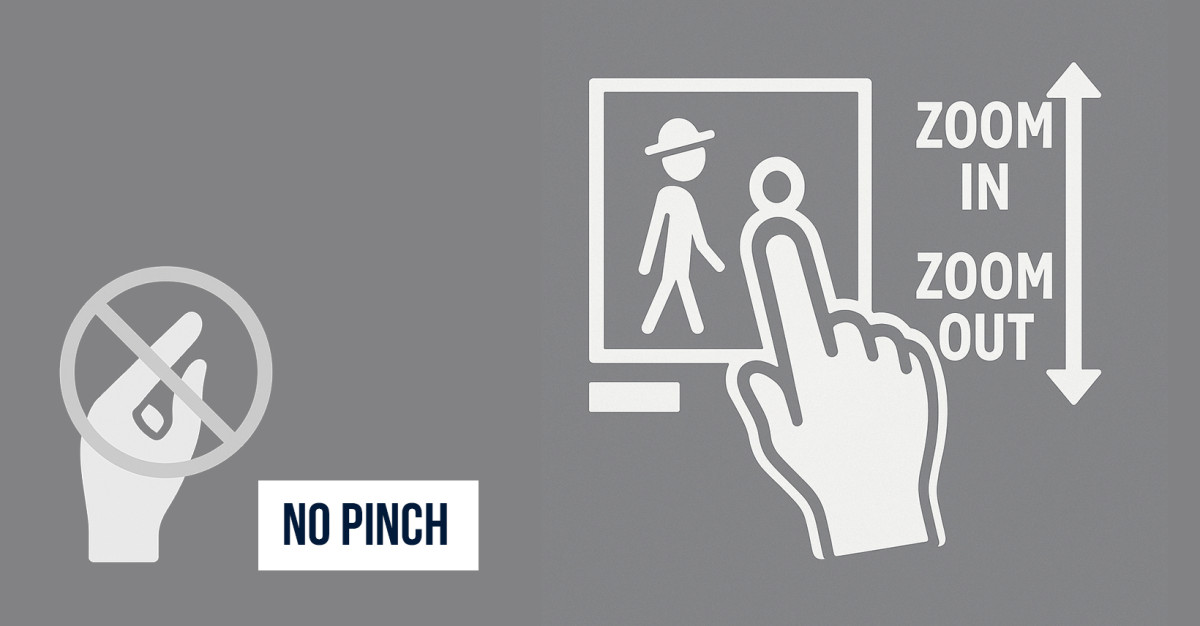
Instructions on how to move and zoom correctly
Here’s how to move correctly:
- Tap a photograph to activate zoom mode: with one finger, you can zoom in or out on the image.
- Use two fingers (or the mouse wheel) to scroll up and down, exploring every detail.
- You can move within the gallery by dragging your finger on the screen or by clicking and holding with the mouse.
- Click the directional arrows or use keyboard commands for more precise navigation.
Unlike on social media, you don’t need to pinch with two fingers to zoom in.
That gesture doesn’t work inside our galleries. To activate zoom, simply tap the photo with one finger or use the mouse.
Everything is designed to help you slow down, observe, and immerse yourself: every movement has meaning, every pause is part of the experience.
The virtual exhibitions are in 4K; this means the photographs are much larger, more detailed, and less compressed than those uploaded to social media.
Each image can be explored in depth, with a clarity that enhances textures, contrasts, light, and composition.
Even the smallest details become visible, allowing you to truly appreciate every single shot.
Virtual exhibitions exist for this very reason: to offer you a quiet space, far from the frenzy of social media, where each image can be discovered slowly and deeply.


